
How to Clean AirPods (Pro, Max, and Case)
To clean AirPods, wipe the hard exterior with a soft, dry, lint-free cloth; if they picked up soap, sweat, lotion, or sunscreen, use a cloth slightly dampened with fresh water, then dry and wait at least two hours before the case or use. For clogged speaker meshes on AirPods 3, AirPods 4, AirPods Pro 2, and AirPods Pro 3, Apple’s current method uses micellar water (with PEG-6 Caprylic/Capric Glycerides) or a Belkin AirPods Cleaning Kit—not flooding the mesh with alcohol. Silicone Pro ear tips rinse with water only (no soap). Here’s how to clean standard AirPods, Pro, Max, the case, mesh, EarPods, and wet buds safely.
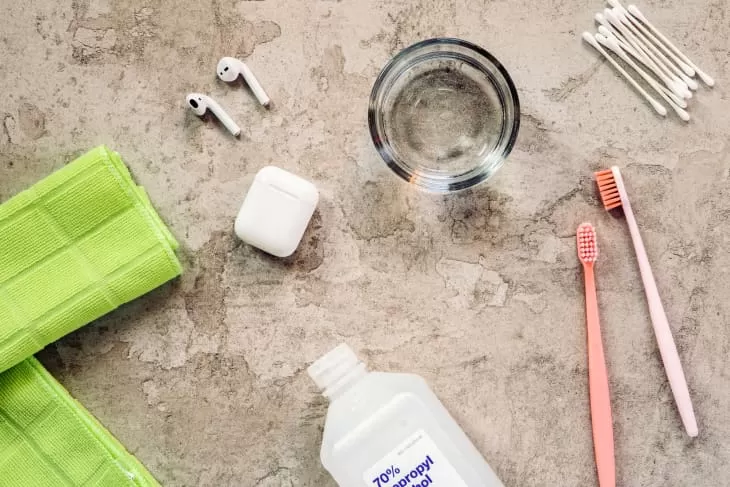
What you’ll need
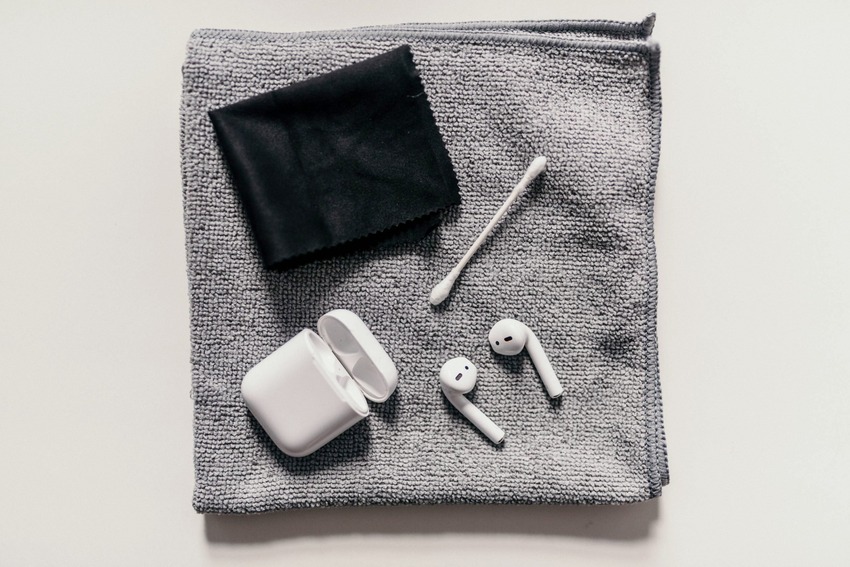
- Soft, dry, lint-free or microfiber cloth
- Soft-bristled children’s toothbrush (for Apple’s mesh method)
- Micellar water that includes PEG-6 Caprylic/Capric Glycerides (Apple names Bioderma or Neutrogena as examples) or a Belkin AirPods Cleaning Kit
- Distilled water and paper towel (mesh rinse and blot)
- Isopropyl alcohol for the charging case exterior if needed; 70% IPA / 75% ethyl / Clorox wipes only on hard nonporous exteriors
Skip hand sanitizer (moisturizers and fragrance), hydrogen peroxide, bleach, sharp tools, and abrasive scrubbers. Keep liquid out of openings, ports, and metal contacts.
How to clean standard AirPods (including AirPods 3 and 4)
Start with the body. Wipe smudges with a dry lint-free cloth. If your buds were exposed to soaps, shampoos, conditioners, lotions, perfume, sunscreen, sweat, oil, or similar residue, wipe with a cloth slightly dampened with fresh water, then dry with a soft lint-free cloth. Apple Support is clear: do not run AirPods under water, and do not use sharp or abrasive tools.
Let them dry completely—at least two hours—before you put them back in the charging case or use them. That drying window matters after any water wipe or mesh clean. Routine dry wiping after workouts also helps limit skin irritation from leftover sweat and product residue.
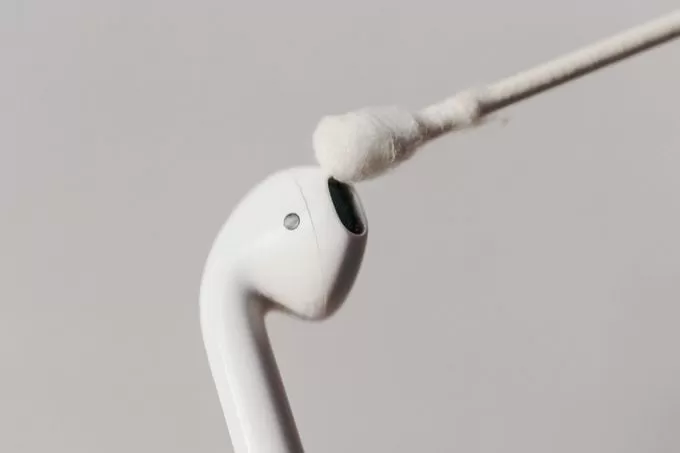
How to clean AirPods mesh (AirPods 3, 4, Pro 2, and Pro 3)
Muffled sound is usually wax or debris in the mesh—not a reason to soak the bud in alcohol. For AirPods 3, AirPods 4, AirPods Pro 2, and AirPods Pro 3, Apple now specifies cleaning only the encircled meshes. Avoid other areas.
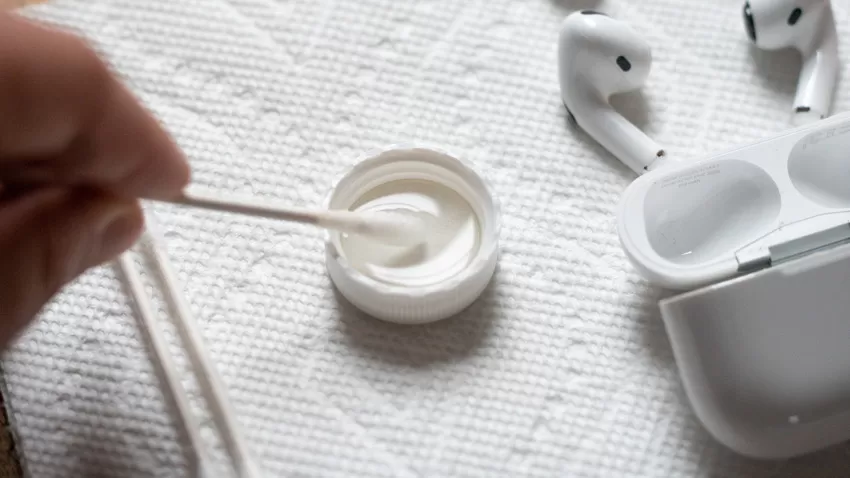
Supplies: Belkin AirPods Cleaning Kit, or micellar water with PEG-6 Caprylic/Capric Glycerides, distilled water, a soft-bristled children’s toothbrush, two small cups, and a paper towel.
- For Pro 2 or Pro 3, remove the ear tips first (pull firmly at the base; roll the rubber edge inside-out if you need grip).
- Add a small amount of micellar water to a cup. Dip the toothbrush until the bristles are fully saturated.
- Hold the AirPod with the mesh facing up. Brush in circles for about 15 seconds.
- Turn the AirPod over and blot the mesh on a paper towel so the towel contacts the mesh.
- Repeat steps 2–4 two more times (three passes total) for each mesh you want to clean. On Pro 3, the cleanable meshes include the bottom mic.
- Rinse the brush with distilled water, then repeat the same brush–blot cycle with distilled water to rinse off the micellar water.
- Dry at least two hours before the case or use.
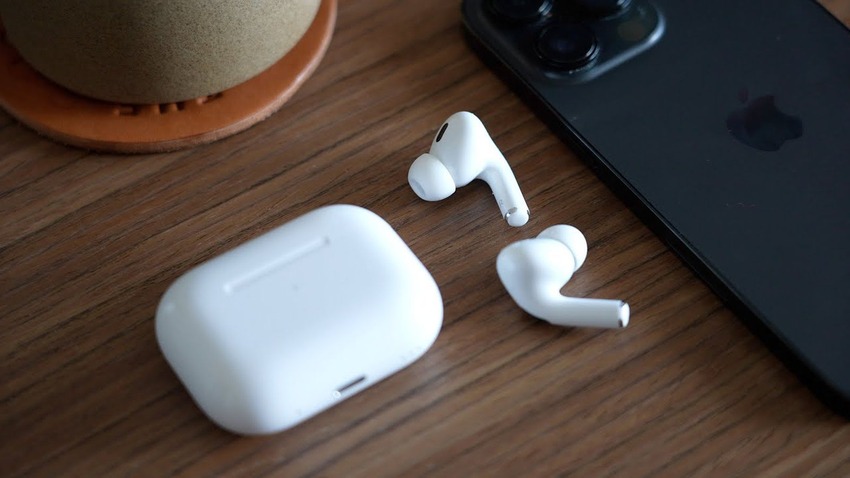
How to clean AirPods Pro
Pro buds follow the same body rules as standard AirPods: dry cloth first; fresh-water damp cloth after soap, lotion, sunscreen, or sweat; then a full dry and a two-hour wait. Do not run them under water as a general habit.
Ear tips (important correction): Pull the silicone tips off and rinse them with water only. Apple says do not use soap or other household cleaners on the ear tips. Wipe dry with a soft lint-free cloth and make sure they are completely dry before reattaching. The tips are oval—align them before you click them on. If water sits in a tip, tap the AirPod on a soft dry cloth with the tip opening facing down.
AirPods Pro 3 only — optional sealed rinse: Place your thumb or index finger over the ear-tip hole to seal it, immerse each AirPod in a bowl of water for 10 seconds while shaking lightly, dab the tip on a dry lint-free cloth for 10 seconds, dry with the cloth, then wait at least two hours before the case or use. This sealed-hole bowl rinse is Pro 3 only—not for earlier Pro models or standard AirPods.
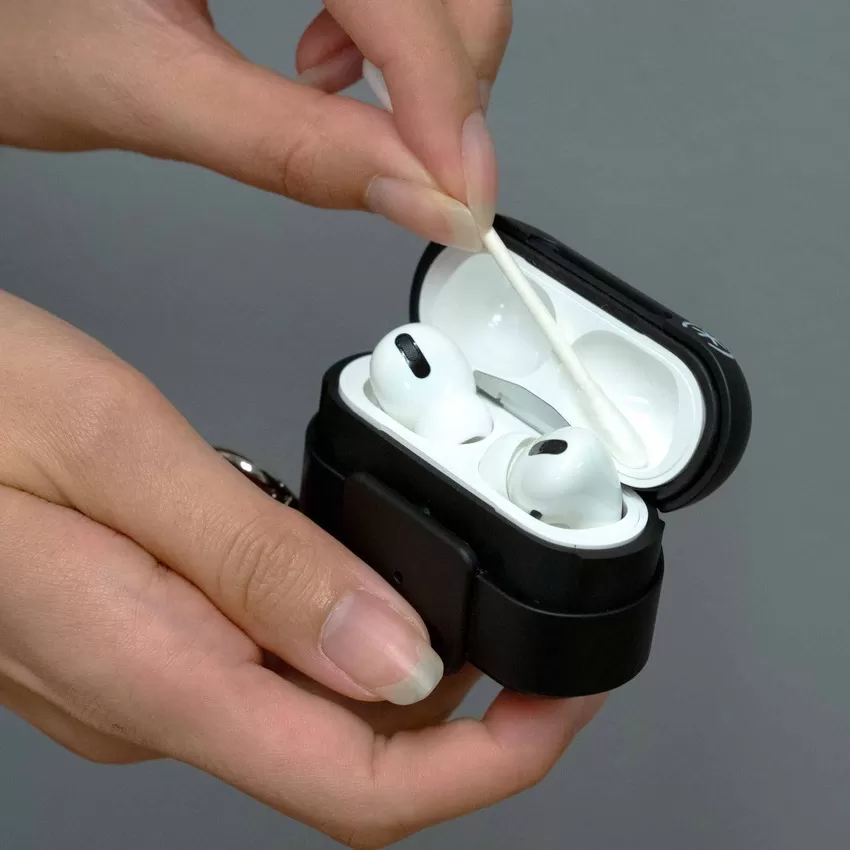
How to clean the AirPods charging case
- Wipe the case with a soft, dry, lint-free cloth.
- If needed, dampen the cloth slightly with isopropyl alcohol, then let the case dry.
- Clear charging-port debris with a clean, dry, soft-bristled brush only.
- Do not put anything into the charging ports or onto the metal contacts, and do not get liquid in the ports.
- Skip abrasive materials on the case exterior.
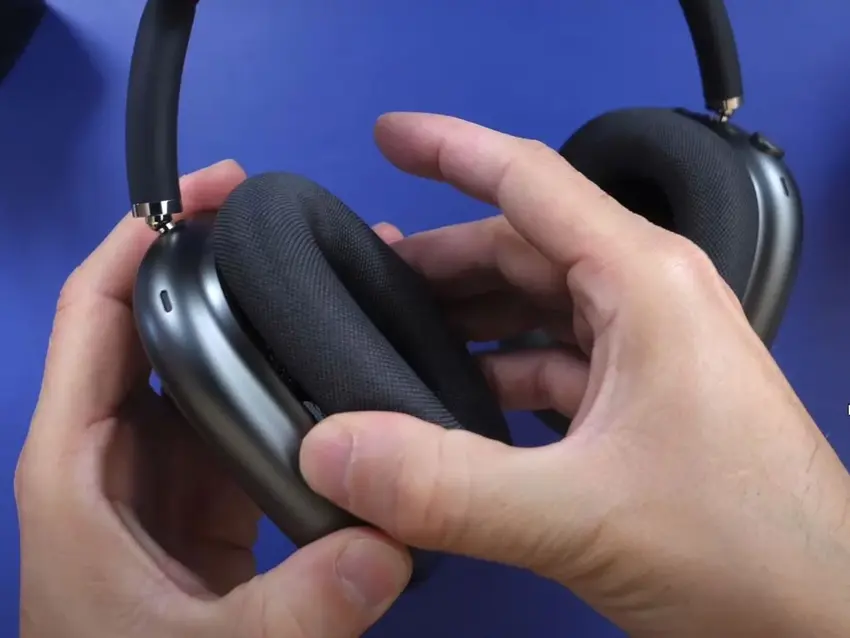
How to clean AirPods Max
AirPods Max and the Smart Case are not water resistant. Do not run them under water or let moisture into openings.
Hard exterior: A soft dry lint-free cloth is the default. After stain-causing exposure (soap, lotion, sunscreen, and similar), wipe with a cloth slightly dampened with fresh water, then dry fully before use. For disinfectant on hard nonporous exteriors only, Apple allows a 70% isopropyl alcohol wipe, 75% ethyl alcohol wipe, or Clorox Disinfecting Wipes. Do not use those on the knit mesh canopy or ear cushions. Avoid bleach and hydrogen peroxide. Keep liquid out of openings.
Cushions and headband: Mix 1 teaspoon (5 mL) liquid laundry detergent into 1 cup (250 mL) water. Remove the magnetic cushions. When wiping the headband, hold Max upside down so liquid does not flow into the attachment point. Dip a lint-free cloth, wring it slightly, and rub each cushion and the headband gently for about one minute. Wipe with a separate cloth slightly dampened with fresh water, then dry with a soft dry cloth. Lay Max flat to dry for at least a day before reattaching cushions.
Smart Case: Dry lint-free cloth; optional cloth slightly dampened with isopropyl alcohol; allow to dry. No abrasives.
How to clean EarPods
For wired EarPods, brush visible debris from the mesh with a clean, dry soft-bristled brush. Wipe the exterior with a microfiber cloth slightly dampened with water—or a swab with a very small amount of isopropyl alcohol on hard exterior surfaces only—keeping moisture out of openings. Let them air-dry fully before use. The same no-sharp-tools and no-hand-sanitizer rules apply.
How to get water out of AirPods
If AirPods get wet, wipe them with a clean dry cloth and leave them in a dry place for several hours so moisture can evaporate. Do not use a hairdryer, microwave, or rice—heat damages internals, and rice particles can lodge in openings. After any wet wipe or mesh clean, wait the full two hours (or longer if they still feel damp) before charging or wearing them.
If a bud still sounds muffled after drying, treat it as mesh blockage and use Apple’s micellar/distilled mesh method for supported models—not a flood of alcohol through the grille.
Frequently asked questions
Is disinfectant OK on AirPods?
On hard, nonporous exteriors of some models, Apple has allowed 70% isopropyl alcohol, 75% ethyl alcohol, or Clorox Disinfecting Wipes—liquid kept out of openings. Never use those wipes on AirPods Max knit mesh or ear cushions. Prefer Apple’s mesh method for speaker grilles on AirPods 3, 4, Pro 2, and Pro 3.
Can I clean AirPods with hand sanitizer?
No. Hand sanitizers often include moisturizers and fragrance that can discolor or damage plastics. Stick to Apple’s approved cloth, water, micellar, or alcohol guidance for the surface you’re cleaning.
Can I use hydrogen peroxide?
No. Skip hydrogen peroxide (and bleach on Max). Use the methods above instead.
Why is one AirPod muffled?
Usually wax or debris in the mesh. Follow the encircled-mesh cleaning steps for supported models, then dry two hours. Do not force liquid deep into the speaker.
Does Apple clean AirPods for free?
Apple does not offer free cleaning. If a bud or case is damaged, you can arrange a paid replacement through Apple Support when the issue is not covered by warranty, AppleCare+, or consumer law.
What’s the best everyday kit?
A lint-free cloth for daily wipe-downs, plus the micellar/distilled toothbrush kit (or Belkin kit) when mesh needs a real clean. Keep isopropyl alcohol for case exteriors and approved hard surfaces—not as a mesh soak.
Quick do’s and don’ts
- Do dry at least two hours after water or mesh cleaning before the case
- Do rinse Pro ear tips with water only—no soap on the tips
- Do clean only the encircled meshes Apple marks for your model
- Don’t run standard AirPods or Pro under a faucet (Pro 3 sealed bowl rinse is the narrow exception)
- Don’t put tools or liquid in charging ports or metal contacts
- Don’t use rice, hairdryers, microwaves, hand sanitizer, or hydrogen peroxide
Clean earbuds are a five-minute DIY; dusty floors and shared surfaces are a bigger job. Pro Housekeepers’ regular cleaning and deep cleaning keep living spaces fresher between your device wipe-downs. For cloth care and dust control that support the same habit, see how to clean microfiber cloths and how to get rid of dust.